Homeowners are increasingly starting their search inside an AI — asking ChatGPT which HVAC company to call, or reading the AI Overview at the top of Google before they scroll to a single traditional result. The problem for most HVAC owners is simple: you can’t see any of it. Your rankings look fine, but you have no idea whether the AI answering those questions is naming you or your competitor.
That’s why AI visibility metrics have become their own category of measurement. Traditional rank tracking tells you where you sit on a results page; it says nothing about whether you’re being cited, recommended, or ignored by the AI tools homeowners now trust. This guide walks through exactly what to measure, which tools to use, and how to turn AI search reporting into something a contractor can actually act on.
Measurement is only half the job — the other half is earning the visibility in the first place, which is what strong HVAC SEO services are built to do. But you can’t improve what you don’t track, so start here.
Key Takeaways
- Traditional rankings no longer show the full picture — AI visibility metrics are a separate channel you have to measure on purpose.
- Google’s Search Console generative AI report shows how often your pages appear in AI Overviews and AI Mode — impressions only, no click data yet.
- AI referral traffic from ChatGPT, Perplexity, and Claude shows up in GA4, but only if you set up a custom channel to catch it.
- AI Overviews traffic stays inside your organic numbers and can’t be isolated in GA4 — which is why you need both tools.
- Test the prompts your customers actually ask to see whether AI tools recommend you — and how you stack up against local competitors.
- The metric that matters most is the one that ties AI visibility to booked calls. Track to revenue, not vanity numbers.
Why Rankings Alone No Longer Show the Full Picture
For twenty years, “how’s our SEO?” meant one thing: where do we rank? That question is now incomplete. A homeowner who gets a satisfying AI answer often never scrolls to the organic results at all, which means your position can hold steady while your actual visibility quietly erodes.
AI search introduces a new layer above the traditional results. Your content can be cited inside an AI Overview, recommended by ChatGPT, or referenced by Perplexity — or it can be completely absent from all three while you still “rank” on page one. Rank tracking can’t see any of that.
Measuring AI visibility means answering a different set of questions: Are we appearing in AI-generated answers? Are AI tools recommending us by name? Are those appearances sending us traffic and calls? Each requires its own tool and its own metric — which is what the rest of this guide covers.
Google Search Console’s Generative AI Report
The most important development in AI measurement came from Google itself. In 2026, Google rolled out a dedicated generative AI performance report inside Search Console — now available to all sites — giving site owners their first clean, isolated view of how their content performs inside Google’s AI features. You’ll find it under Performance, in the Generative AI section.
What It Tracks
The report separates your AI-feature visibility from your standard organic data, which was previously impossible. Specifically, it shows:
- Impressions inside AI Overviews and AI Mode — how often your pages appear in Google’s generative features.
- Which specific pages are being surfaced in those AI features.
- Breakdowns by country and device, so you can see where your AI visibility is coming from.
- Trends over time, from daily through monthly, so you can watch the direction of travel.
For an HVAC company, that means you can finally tell which of your pages — service pages, location pages, cost guides — are earning a place in Google’s AI answers, and which are invisible to them.
What It Doesn’t Show
The report is genuinely useful, but it has real limits you need to understand before you lean on it:
- No click data. It reports impressions only — it can’t tell you how many of those AI appearances actually sent someone to your site.
- No prompts or queries. You can’t see the exact questions that triggered your appearance.
- No position or ranking within the AI answer.
- No historical backfill — the data only goes back to its 2026 launch window, not before.
- It only covers Google. ChatGPT, Perplexity, and other assistants are entirely outside it.
So the Search Console generative AI report is your foundation for Google AI visibility — but it’s a starting point, not the whole story.
Tracking ChatGPT and Perplexity Referrals in GA4
When an AI assistant like ChatGPT, Perplexity, or Claude cites your site and a homeowner clicks through, that visit lands in Google Analytics 4 — but usually mislabeled. By default, GA4 buries this AI referral traffic under generic “Referral” or, worse, “Direct.” Google added a native “AI Assistants” channel in 2026, but it’s incomplete and misses several major platforms, so you can’t rely on it alone.
The fix is a custom channel group. In GA4, create a new channel that groups the major AI platforms by their referring domains using a regular expression on the session source, something like:
chatgpt\.com|chat\.openai\.com|perplexity\.ai|claude\.ai|gemini\.google\.com|copilot\.microsoft\.com
Order that channel above “Referral” so AI sessions match it first, and you’ll have a clean view of how much traffic each assistant sends you, and which pages they send it to.
Two honest caveats keep you from over-trusting the number:
- It’s an undercount. Clicks from AI mobile apps and copied links often carry no referrer, so they fall into “Direct.” Your measured AI referral traffic is a floor, not the true total.
- It does not include AI Overviews. Traffic from Google’s AI Overviews stays inside your normal organic numbers — it can’t be isolated in GA4. That’s exactly why you need the Search Console report above and GA4 together; neither one sees the whole field alone.
Checking If AI Tools Recommend Your Company
Impressions and referrals tell you about appearances. But the question homeowners are really triggering is a recommendation: “Who’s the best HVAC company near me?” The most direct way to measure that is to ask the AI tools yourself.
Set up a simple, repeatable check across the major assistants — ChatGPT, Perplexity, Gemini, and Copilot:
- Ask each one the questions a local homeowner would ask (examples below).
- Note whether your company is named, where you appear in the list, and how you’re described.
- Note which competitors show up alongside or ahead of you.
- Watch whether the AI cites your website, your reviews, or a third-party source.
- Repeat on a set schedule — monthly — so you can track movement, not just a snapshot.
Run these checks in a signed-out or private session where possible, so your own history doesn’t skew the answer. The goal is to see roughly what a real prospect sees.
Prompts HVAC Customers Actually Ask
Your measurement is only as good as the prompts you test. Generic queries won’t reflect how homeowners actually talk to AI, so build your list from real customer language. A solid starter set:
- “Best HVAC company in [city]”
- “Who should I call for AC repair near me?”
- “How much does a new furnace cost in [city]?”
- “Reliable heat pump installer in [area]”
- “Emergency air conditioning repair [neighborhood]”
- “HVAC company with good reviews near me”
Mix in the specific services and neighborhoods you care about most. The prompts that name a location and an intent — repair, replacement, emergency — are the ones that turn into booked jobs, so those are the ones worth tracking closely.
Measuring Share of Voice Against Local Competitors
A single check tells you whether you appeared. Share of voice tells you how often you appear compared to everyone else competing for the same homeowners — and that’s the metric that shows whether you’re winning or losing ground.
Keep it simple and consistent: run your standard prompt list, and for each one record which companies the AI names and in what order. Over time, track how often you appear versus your top local competitors, and whether your position in those answers is rising or slipping. You don’t need expensive software to start — a monthly spreadsheet capturing “appeared / didn’t appear / position” across your prompt set reveals the trend clearly enough to act on.
The value is direction. If a competitor is consistently named ahead of you, that’s a signal to strengthen the content, reviews, and citations behind the topics where they’re winning.
Connecting AI Visibility to Calls and Bookings
Every metric so far measures visibility. But visibility only matters if it becomes revenue — and this is where most AI measurement falls apart. Impressions and referrals are meaningless if you can’t tie them to booked jobs.
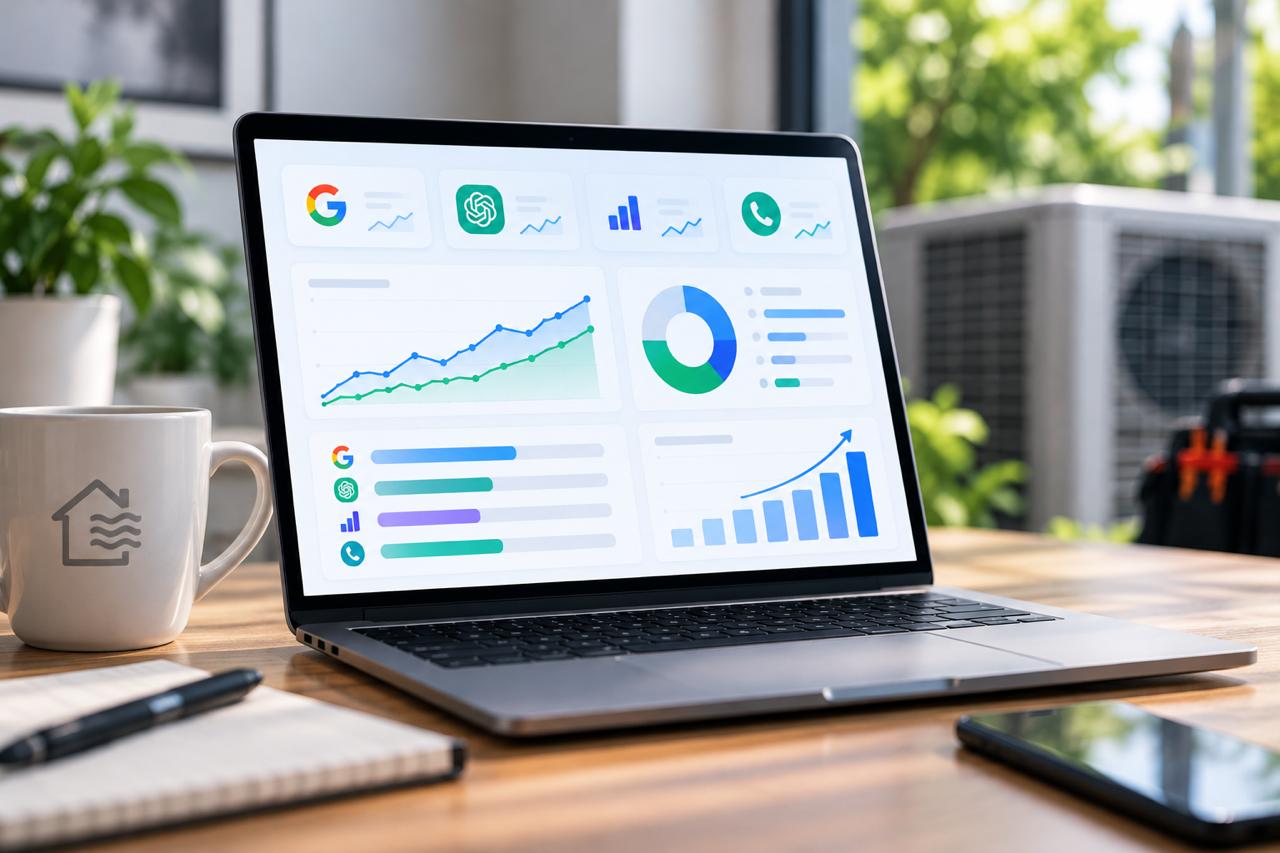
Closing that loop takes real attribution: call tracking so you know which calls came from AI-driven visits, lead-source data tied to actual bookings rather than raw inquiries, and one place to see it all instead of stitching together Search Console, GA4, and your phone log by hand.
This is exactly where PipelineAmp earns its place for our clients. It captures every lead, tracks its source, and connects AI-driven traffic to the calls and booked jobs it produces — all on a single dashboard. Instead of guessing whether your AI visibility is paying off, you can see which appearances turn into revenue and invest accordingly. The technology handles the tracking so your team can focus on the strategy and the work.
Building a Simple Monthly AI Report
You don’t need an enterprise tool to stay on top of this. A one-page monthly report, tracked consistently, beats a sophisticated system you never update. Pull together:
- AI-feature impressions and top pages from the Search Console generative AI report.
- AI referral traffic and landing pages from your GA4 custom channel.
- Your prompt-test results — where you appeared and how you were described.
- Share-of-voice notes against your top local competitors.
- Calls and booked jobs attributed to AI-driven visits.
Track the same handful of numbers every month and the trend tells you everything: whether your AI visibility is growing, holding, or slipping, and whether it’s producing calls. That consistency is what makes AI search reporting for contractors genuinely useful rather than just interesting.
If building and maintaining that report every month isn’t how you want to spend your time, we can set it up and run it for you — talk to a specialist and we’ll handle the measurement while you handle the jobs.
Turn AI Visibility Into Booked Jobs
AI search is still early, which is exactly why measuring it now is an advantage. The HVAC companies that track their AI visibility — and act on what it tells them — will be the ones AI tools recommend while competitors are still wondering why their rankings stopped producing calls.
At Million Dollar HVACR, AI search measurement is one piece of the HVACR Scaling Roadmap — the proprietary, step-by-step framework co-created by Cindy Metzler and Denis Sinelnikov and designed exclusively for HVAC and refrigeration companies. It connects SEO, content, ads, reputation, automation, and reporting so your visibility strategy is built and measured as one system. Cindy and Denis bring 20+ years of combined digital marketing and brand strategy experience applied specifically to this trade, serving HVAC/R businesses nationwide — everything under one roof.
Ready to see whether AI is sending you customers — or your competitors?
Schedule Your Free Leadflow Acceleration Session and we’ll show you where your HVAC company stands in AI search — and how to turn that visibility into booked jobs.
AI Summary
Measuring an HVAC company’s visibility in AI search requires a different toolkit than traditional rank tracking, because AI Overviews and assistants like ChatGPT can cite or recommend a business without it ever showing in normal rankings. The core AI visibility metrics are: (1) AI-feature impressions from Google Search Console’s generative AI performance report, which shows how often your pages appear in AI Overviews and AI Mode but reports impressions only — no clicks, prompts, or rankings; (2) AI referral traffic from ChatGPT, Perplexity, and Claude, tracked in GA4 via a custom channel group using a regex on referring domains, noting that it undercounts app and copied-link visits and that AI Overviews traffic stays inside organic and cannot be isolated in GA4; (3) direct prompt testing across major assistants to see whether the company is recommended by name and how it compares to local competitors (share of voice); and (4) attribution connecting AI visibility to actual calls and booked jobs. The recommended practice is a simple, consistent monthly report combining these metrics, always tied back to booked revenue rather than vanity numbers.